
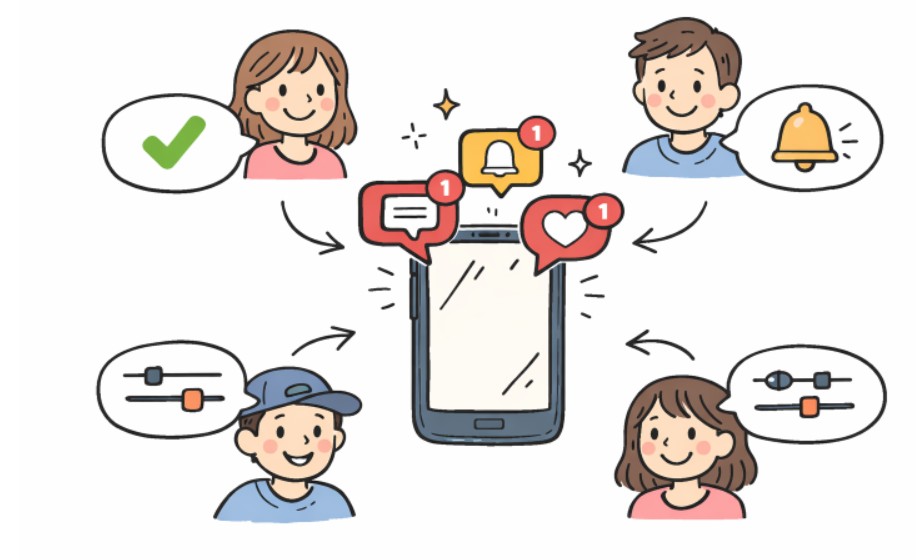
In today’s digital landscape, notifications play a pivotal role in shaping user experience and influencing engagement. Well-designed notification systems can help retain and engage users, while poorly designed ones often result in frustration and attrition. As the stakes grow higher for maintaining user attention, an intentional approach to notification settings is essential for developers and product teams. Prioritizing user needs, providing transparency, and allowing flexibility are critical for creating notification systems that are truly user-centric.
At its core, designing notification settings that resonate with users means striking a careful balance between keeping users informed and avoiding information overload. Every aspect, from the types and timing of notifications to the clarity of controls, must be attuned to user preferences. This mindfulness not only reduces churn but also fosters ongoing engagement. Notification settings that put users first not only enhance satisfaction but also elevate overall app performance in a competitive landscape.
Successful apps now treat notification customization as a feature, not an afterthought. This signals a shift from simple on-off toggles to more nuanced, adaptable systems that empower users to tailor their experience.
Understanding the importance of user-centric models, product developers continue to study user behavior, test new solutions, and iterate on notification controls. Only by blending insight, research, and flexible design can they address evolving user expectations in a meaningful way.
Understanding User Needs
Comprehensive user research is the cornerstone of effective notification design. By observing real user interactions and collecting direct feedback, designers can uncover the specific properties users value in notifications and those that cause annoyance or disinterest. This research often reveals subtle distinctions in how different audience segments wish to engage with alerts, underlining the need for customization rather than a one-size-fits-all approach. According to Nielsen Norman Group, involving users in the design process consistently yields more relevant and welcomed notification features. User interviews, surveys, and in-app analytics are invaluable tools for this continuous process.
Categorizing Notifications
Users benefit from having notifications sorted by purpose and urgency. The three most common categories are critical alerts, routine reminders, and promotional content. By organizing notifications this way, users are able to recognize and prioritize high-importance messages, such as security warnings or urgent updates, while relegating low-urgency communications like marketing offers to less intrusive channels. This approach both reduces cognitive overload and empowers users to control their engagement with the information flow.
Providing Granular Control
User trust grows when apps allow for detailed notification settings. Options should include toggles to enable or disable specific types, select delivery methods (such as push, SMS, or email), and even set contextual preferences for different times or activities. When Slack revamped its notification system, it not only standardized the user experience across platforms but also introduced expanded settings that led to a fivefold increase in user engagement with notification controls. Designing with this philosophy gives users just the right level of autonomy and transparency.
Timing and Frequency
The timing and pacing of notifications can make the difference between keeping users engaged and causing them to mute messages altogether. Well-timed notifications consider the user’s activity patterns, sending nudges when users are likely to be receptive. For example, a fitness app may choose early morning reminders for users who regularly exercise before work, while sending evening prompts to those who prefer nighttime routines. Equally important is frequency capping, defining limits on how often notifications appear, generally every two or three days, to prevent fatigue. According to industry studies, as many as 81 percent of users will adjust their notification settings or silence apps if they feel overwhelmed, highlighting the need for moderation.
Personalization
Personalized notifications inherently feel more relevant and less intrusive. Leveraging behavioral and demographic data enables developers to segment user bases and deliver targeted messages. For example, nudging early risers mid-morning, or tailoring content to align with previous in-app activity, boosts both engagement and satisfaction. Grouping users by preferences or usage patterns allows the application to serve content that matches their lifestyle, while minimizing interruption.
Clear and Actionable Content
Notifications should be direct, relevant, and include a distinct call to action. Users should never wonder why they received a message or what their next step should be. Avoiding vague, generic language ensures the notification’s purpose is immediately apparent. For example, a banking app should state, “Suspicious login attempt detected. Review activity now,” instead of a non-specific alert. This clarity can significantly improve user response rates and overall trust in the application’s communication.
Visual Hierarchy
Designing notification setting interfaces with an obvious visual hierarchy makes navigation and customization effortless. Using unique colors, clear font choices, and strategic spacing draws attention to categories and importance levels, helping users manage alerts at a glance.
Conclusion
Achieving a user-centric notification system requires genuine empathy for user needs, continuous research, and a willingness to iterate. By focusing on clear categorization, granular controls, personalized timing, and interface clarity, developers can transform notifications from unwanted interruptions into meaningful, helpful touchpoints. In a digital ecosystem where user attention is increasingly precious, these thoughtful approaches to notification settings ultimately drive satisfaction and ongoing engagement.


